
How it works · Worldwide
How our tuning file service works.
Platinum Tune's tuning file service works online. Get set up once, then it's the same three steps for every car, wherever you are in the world. Reads and files go online through the dealer portal, and the file desk is in the portal when a job needs a conversation.
Performance, economy and gearbox files. Other calibration options: ask support in the portal.
Already have a dealer account? Log in to the portal.
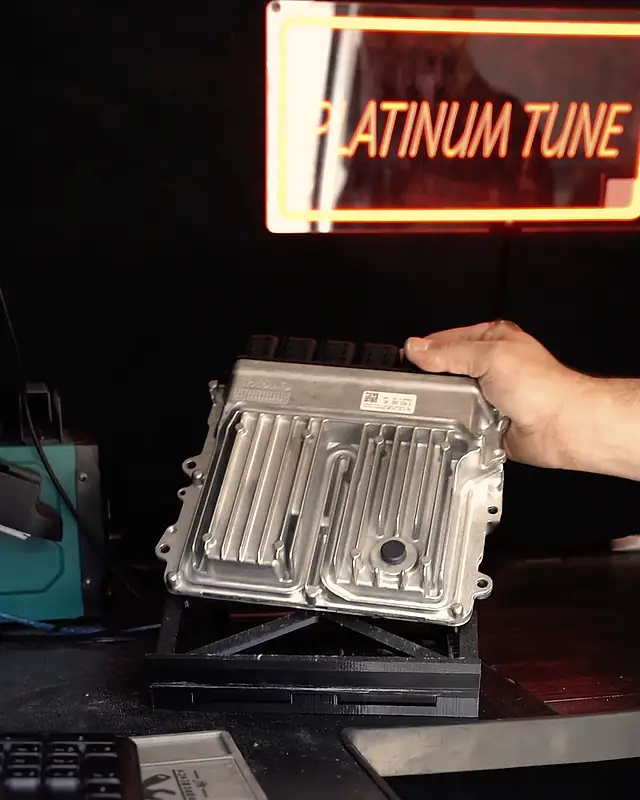
The short version
How does the online file service work?
You read and write the car with your own tool. In between, we prepare your calibrated file.
Getting set up
Step 1: Apply
A short form: your business, your tool, master or slave, and how many files you do a month.
Step 2: Create your portal login
With Autotuner, KESS3 or Flex, straight after you apply. With another tool, or none yet, we message you on WhatsApp first.
Step 3: Add credit
Top up your dealer portal account, then spend it on the files you order.
For every car
Step 1: Upload your read
Send the original read with the car's details and the work you want.
Step 2: We prepare your file
We prepare your calibrated file and put it back in your portal.
Step 3: Download and write back
Write the file to the car with the same tool, check it, and hand the car back.
Portal walkthrough
Each stage in the dealer portal.
What you do at each stage, and what happens next.
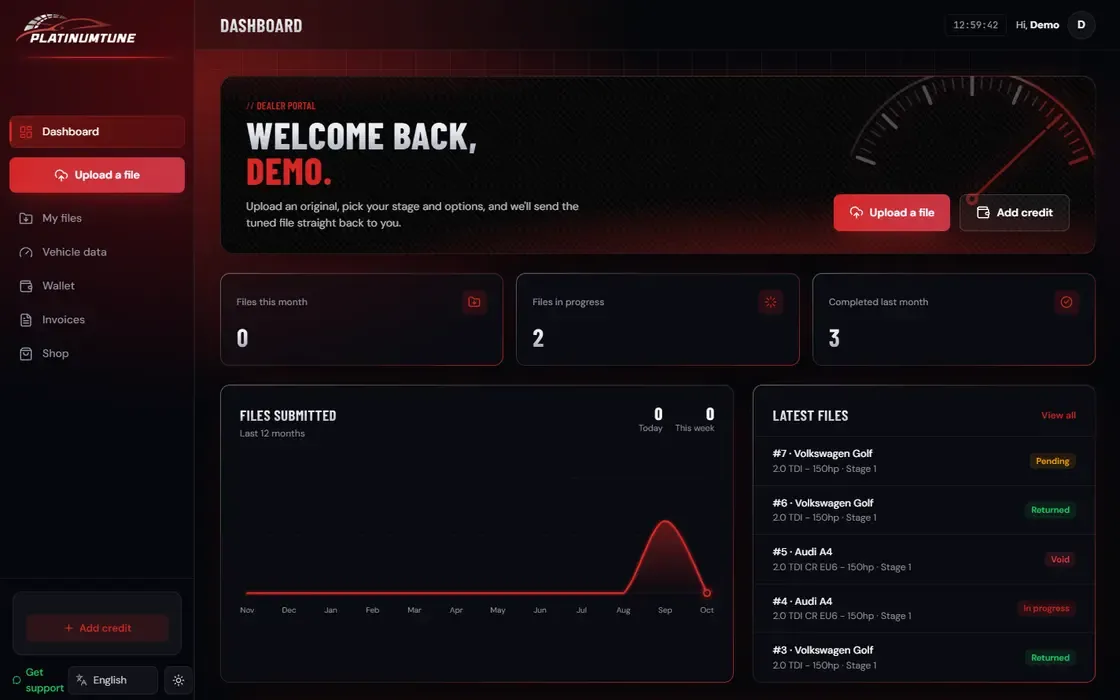
Apply for a dealer account
- You
- Fill in the application: your name, business, WhatsApp number and country, your tool, master or slave, and roughly how many files you do a month. No tool yet? Choose “None or not sure”.
- Then
- With Autotuner, KESS3 or Flex you can create your portal login straight after you apply. With another tool, or none yet, we message you on WhatsApp first.
Create your portal login
- You
- Register for the dealer portal with your business details, then log in. This is where every read goes up and every file comes back.
- Then
- Once you're logged in, you can add credit and upload your first read.
Add credit
- You
- Top up your account in the portal before you upload. You spend credit on the files you order.
- Then
- Your dealer rate comes on WhatsApp, never on a public page. Ask for your dealer rate.
Upload your read
- You
- Start a new job, choose the work you want, add the car's details and any notes, and upload the original read exactly as your tool saved it. The work you can choose includes DPF, EGR and AdBlue solutions — for off-road and motorsport use only. And much more: every solution for each ECU family is listed in the portal. Not listed? Ask support in the portal. You're responsible for how a file is used: see clause 4 of our dealer terms.
- Then
- Not sure about a job? Ask support in the portal before you upload.
We prepare your file
- You
- Nothing, apart from keeping the car's details to hand in case we have a question.
- Then
- We prepare your calibrated file and put it back in your portal. Files are usually back within 30 minutes during desk hours.
Download and write back
- You
- Download the file from the portal and write it to the car with the same tool you read it with. Check the car starts and drives as it should before you hand it back.
- Then
- If something isn't right on the car, ask support in the portal with what you're seeing. Ask your customer to tell their insurer about the remap.
Sending a read
What should I send with each read?
The right details with a complete read mean fewer questions before work starts.
- The original read, saved exactly as your tool made it
- Make, model, engine and gearbox
- The work you want: performance, economy or gearbox
- Anything already changed on the car, hardware or software
Not sure about a job? Ask support in the portal before you start.
Good habits at the car
- Keep a battery support unit on the car while you read and write, so the voltage stays steady.
- Save the read exactly as your tool made it, and keep your own copy before you change anything.
- Tell us about anything already changed on the car, hardware or software, when you upload.
- Ask us before you take on a car or an ECU you haven't done before.
The file desk
When is the file desk open?
And what happens when a file needs another look.
| File desk hours | Monday to Friday, 9am to 8pm; Saturday, 9am to 4pm; Sunday, closed (UK time) |
|---|
Questions from dealers
Questions about the file service
Straight answers. For anything else, ask support in the portal.
What do I upload?
The original read from the car, saved exactly as your tool made it, with the car's make, model, engine and gearbox and the work you want. If anything on the car has already been changed, tell us when you upload.
How long does a file take?
Files are usually back within 30 minutes during desk hours. File desk hours: Monday to Friday, 9am to 8pm; Saturday, 9am to 4pm; Sunday, closed (UK time).
How do I pay for files?
You add credit in the dealer portal and spend it on the files you order. Your dealer rate: ask on WhatsApp.
Do I need tuning experience?
No. You don't calibrate anything yourself: you read the car with your tool, upload the read, and write back the file we send. We work with you through your first jobs, with support in the portal.
What if the car has been tuned before?
Tell us before you upload, and send the original file if you or the last tuner kept it. A file that has already been changed needs a look first, so ask support in the portal and we'll tell you what we need.
What if a file needs a change?
Ask support in the portal with what you're seeing on the car, and we'll go through it with you.
What work do you do?
Performance, economy and gearbox (TCU) files for cars and vans. Other calibration options: ask support in the portal.
I already have a dealer account. How do I log in?
Log in to the portal. If something isn't working, contact portal support.
I don't have a tool yet. Where do I start?
Apply and choose “None or not sure”, and we'll message you on WhatsApp about what you need first. New to tuning? Start here.
Last updated
Dealers · Worldwide
Send us your next car.
Apply for a dealer account. Already a dealer? The file desk is in the portal.
Not sure it suits you? Message us on WhatsApp and we'll tell you honestly.